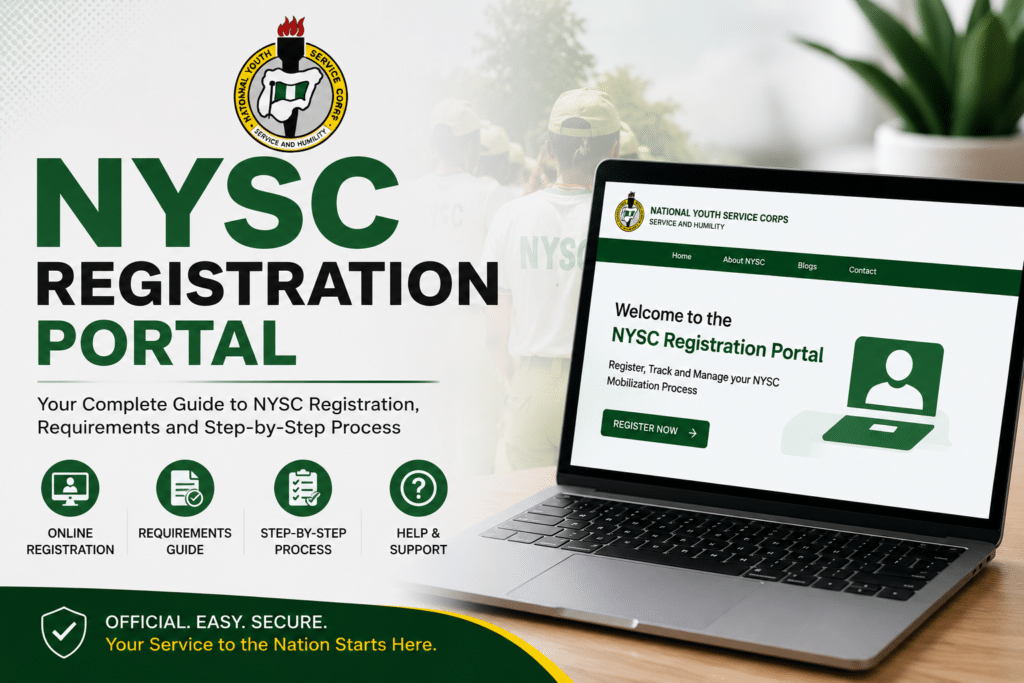
If you have just graduated or are about to graduate, the NYSC registration portal is one of the most important websites you will use this year. Everything about your mobilization—from submitting your personal details to printing your call-up letter—happens through this single online platform.
Many prospective corps members make avoidable mistakes during registration because they do not understand how the portal works, what documents are needed, or what steps to follow in the correct order. A simple error—a name mismatch, a blurry upload, or a wrong date of birth—can delay your mobilization by an entire batch.
This guide covers everything about the NYSC registration portal in 2026: the official link, eligibility requirements, documents to prepare, the full step-by-step registration process, fees, and the most common mistakes to avoid.
Quick Summary: The official NYSC registration portal is portal.nysc.org.ng. Registration is free, but a ₦3,000 fee applies if you want to print your call-up letter online. You must confirm your name on the Senate list before you can register. Your NIN must match your academic documents exactly. Registration windows typically last seven days per batch.
What Is the NYSC Registration Portal?
The NYSC registration portal is the official online platform created by the National Youth Service Corps for all prospective corps members (PCMs). It is the digital gateway through which eligible Nigerian graduates complete their mobilization, submit personal and academic information, perform biometric capture, and access their call-up letters.
Think of the NYSC registration portal as your control room for the entire NYSC process. From the moment your name appears on your institution’s Senate list to the day you print your call-up letter and head to camp, everything passes through the portal.
The official NYSC registration portal address is https://portal.nysc.org.ng.
Important: Only use the official portal at portal.nysc.org.ng. Avoid any other websites or social media links claiming to be the NYSC registration portal — many are scam sites designed to steal your information or money.
NYSC 2026 Registration – Batch Dates and Timeline
NYSC mobilizes graduates in batches throughout the year. Each batch has its own registration window, which typically stays open for about seven days. Missing the window for your batch means waiting for the next one — which can delay your service year by several months.
Here is the 2026 batch timeline based on current NYSC announcements:
- Batch A Stream I: Registration opened and closed earlier in 2026 (already passed)
- Batch A Stream II: Online registration ran from March 12 to March 18, 2026
- Batch B Stream I: Online registration expected to begin around July 2026
- Batch C: Expected later in the year — exact dates to be announced on the official portal
Always confirm batch dates directly on the NYSC portal or official NYSC social media pages. Dates shift regularly depending on institutional submission schedules. Do not rely solely on third-party websites for registration dates.
Who Is Eligible to Register on the NYSC Portal?
Not every graduate can access the NYSC registration portal immediately after graduation. There are specific eligibility conditions that must be met first.
1. Your Name Must Be on the Senate List
This is the most critical requirement. NYSC only allows graduates whose names have been approved by their institution’s senate or academic board—and uploaded to the NYSC portal by their school—to proceed with registration. If your name is not on the Senate list, the portal will not allow you to register, regardless of how ready your other documents are.
To check if your name is on the Senate list, visit the Senate list verification section on the NYSC portal, select your institution, enter your matriculation number and surname, and check your status. If your name is missing, contact your institution’s Student Affairs Office or mobilization officer immediately.
2. You Must Be a Nigerian Graduate Under 30 Years of Age
To participate in the NYSC program, you must be below 30 years of age at the time of graduation. If you are 30 years or above at the time of graduation, you will receive an exemption certificate rather than being mobilized for service. This rule applies even if you are under 30 when registration opens—what matters is your age at graduation.
3. You Must Have a National Identification Number (NIN)
A valid NIN is required to complete registration on the NYSC portal. Critically, the name and date of birth on your NIN must match exactly the name and date of birth on your academic documents—your statement of results, degree certificate, and JAMB records. Any mismatch will cause registration errors that are difficult to resolve after submission.
4. Foreign-Trained Graduates
If you studied outside Nigeria, you can still register on the NYSC portal, but you will need additional documentation. Your foreign qualifications must have been evaluated by the Federal Ministry of Education before you can register. You will also need to attend a pre-camp physical verification exercise for document screening before proceeding.
5. Married Female Graduates
Married female corps members can request deployment to the state where their husband resides. This concessional posting request must be supported with additional documents uploaded during registration. There is no concessional posting option for married male graduates.
Documents Required for NYSC Registration Portal 2026
Prepare all of these before you open the NYSC registration portal. Uploading incorrect or unclear files is one of the most common causes of registration rejection and delays.
- Statement of Result or Degree Certificate: Must show your full name exactly as it appears on your NIN and JAMB records. Provisional statements of results are accepted if your certificate has not been issued yet—but the document must be genuine, properly signed, and not marked “duplicate.”
- National Identification Number (NIN): A valid NIN linked to your correct full name and date of birth.
- Valid means of identification: National ID card, international passport, driver’s license, or voter’s card.
- Birth certificate or age declaration: Required to verify your age.
- Passport photograph: A recent, clear passport photograph. The portal also captures your facial image via webcam during registration — ensure you are well dressed and that the image is not blurred.
- Medical fitness certificate: Obtained from a government or military hospital. The certificate must contain a statement that you are “fit for camp activities.” Certificates from small private clinics are frequently rejected at camp. Ensure the certificate is current — very old medical certificates may be queried.
- Local government identification letter: A letter from your local government area confirming your state of origin.
- For married women: Marriage certificate, newspaper change of name publication, husband’s valid ID, and proof of husband’s state of residence.
- For foreign-trained graduates: Translated copies of your foreign certificates (if not in English), an evaluation letter from the Federal Ministry of Education, and your pre-camp verification clearance slip.
NYSC Registration Portal Fee – How Much Does It Cost?
The NYSC registration itself is free. You do not pay any fee to create your account, submit your information, or complete biometric capture on the portal.
However, if you want to print your call-up letter directly from the NYSC portal, a service fee of ₦3,000 applies. This payment must be made exclusively through the official NYSC portal using Remita — do not make payments to any third party or individual claiming to process your NYSC registration fee.
Keep your Remita payment receipt after payment. You may be asked to present it during camp verification.
Cyber café operators typically charge between ₦5,000 and ₦6,000 for assisting with the full NYSC registration process, depending on your location. This is separate from the official NYSC portal fee.
Step-by-Step Guide to Register on the NYSC Portal 2026
Follow these steps carefully and in order. Do not skip any step — incomplete registrations cannot always be resumed once the portal window closes.
- Verify your name on the Senate list. Before visiting the portal, confirm that your institution has uploaded your name to the NYSC Senate list. Go to portal.nysc.org.ng; find the Senate list verification section, select your school, enter your matriculation number and surname, and confirm your status.
- Go to the official NYSC registration portal. Open your browser and navigate to portal.nysc.org.ng. Do not use any other link.
- Create your account. Click on “Fresh Registration” if you are registering for the first time. Enter a valid email address and create a secure password. Check your email inbox for an activation link from NYSC and click it to verify your account before proceeding.
- Log in and fill in your personal details. Enter your full name exactly as it appears on your NIN and academic documents. Enter your date of birth, state of origin, local government area, and contact information accurately. Your date of birth will appear on your Certificate of National Service—a mistake here stays permanently on that document.
- Fill in your academic information. Select your institution from the dropdown and enter your matriculation number, course of study, class of degree, and year of graduation. If your course of study appears incorrectly, apply for a course correction on your dashboard and notify your student affairs officer to approve the request from their end.
- Upload your documents. Upload clear, properly scanned copies of your statement of result or degree certificate, valid ID, birth certificate, and other required documents. Files must be clear and legible — blurry uploads are a major cause of rejection.
- Complete biometric capture. A webcam will be used to capture your facial photograph during registration. Ensure you are well dressed, in a well-lit environment, and facing the camera directly. Do not allow someone else to complete your thumbprint or facial capture on your behalf—this is proxy registration and is prohibited.
- Review all details carefully before submitting. Check every field — your name, date of birth, course of study, and uploaded documents. Corrections to some fields are restricted after submission. Take your time here.
- Submit your registration. Once you are satisfied that all details are accurate, submit your registration before the portal closes.
- Make payment and print your call-up letter. After mobilization is complete, log back into the portal, make the ₦3,000 Remita payment if required, and print your call-up letter. Print it in color—do not laminate it. Keep at least three photocopies.
What Happens After NYSC Portal Registration?
Once you complete your registration on the NYSC portal and the mobilization process is finalized, the following happens:
Call-Up Letter
Your call-up letter is released on the NYSC portal after mobilization closes. This letter contains your state of deployment, orientation camp address, reporting date, and your permanent NYSC call-up number (formatted as NYSC/[State Code]/2026/[Number]). Print this letter in color and do not laminate it. Take at least three photocopies to camp.
Orientation Camp
Orientation camp runs for 21 days. You will be expected to report to the camp in your state of deployment on the date specified in your call-up letter. Bring your printed call-up letter; all original documents and photocopies; your medical fitness certificate; your Green Card; and between ₦20,000 and ₦35,000 in cash for personal expenses. Your ATM card is also useful since many camps have POS operators.
Monthly Allowance
As of 2026, the NYSC monthly allowance (allowee) is ₦77,000 paid directly to your bank account. Many state governments and private organizations also pay additional state allowances on top of the federal rate.
Primary Place of Assignment (PPA)
After orientation camp, you will be posted to a primary place of assignment where you serve for the remaining 11 months of your service year. You can apply for redeployment on health, marital, or security grounds — but only after orientation camp ends.
Revalidation and Remobilization—What They Mean
If you were deployed in a previous batch but did not report to camp, you are not starting from scratch. NYSC has two options for this situation:
Revalidation: This is for PCMs who were deployed in a previous batch but did not report to camp. Revalidation reactivates your existing NYSC registration and reassigns you to a new batch without requiring you to start registration all over again. Click “Revalidation” instead of “Fresh Registration” when you log into the portal.
Remobilization: This applies to corps members who started their service year but could not complete it due to specific circumstances. Remobilization allows them to resume and complete their service.
Common Mistakes to Avoid on the NYSC Registration Portal
- Not checking the Senate list first. Jumping onto the portal before confirming your name on the Senate list is the most common mistake. Without Senate list confirmation, your registration cannot proceed.
- Name or date of birth mismatch. The name and date of birth on your NIN must match your academic documents exactly. A mismatch — even a difference between “Chioma” and “Chiamaka” — will cause problems. Resolve any discrepancies before registration opens.
- Uploading blurry or invalid documents. Scan all documents clearly before uploading. Blurry, expired, or unsigned documents are rejected at camp verification, not just during portal registration.
- Paying fees to unofficial parties. NYSC registration is free. The only official payment is the ₦3,000 Remita fee for call-up letter printing, paid directly on the NYSC portal. Any agent asking you to pay outside the portal is a scammer.
- Submitting a proxy biometric capture. Never allow someone else to do your thumbprint or facial capture. This is a registration violation and can invalidate your mobilization.
- Waiting until the last day. The registration window lasts only about seven days. Technical issues, slow servers, or last-minute document problems on the final day can cost you the entire batch. Register as early in the window as possible.
- Using unofficial NYSC registration websites. Only portal.nysc.org.ng is the official NYSC portal. Many unofficial sites collect your data and money without providing any legitimate service.
Frequently Asked Questions About the NYSC Registration Portal
What is the official NYSC registration portal link?
The official NYSC registration portal is portal.nysc.org.ng. Always use this exact URL and verify the address bar before entering any personal information.
Is NYSC registration free?
Yes. Creating your account and submitting your registration on the NYSC portal is completely free. The only optional fee is ₦3,000 paid through Remita to enable online printing of your call-up letter.
What if my name is not on the Senate list?
Contact your institution’s Student Affairs Office or mobilization officer immediately. They are responsible for submitting your name to NYSC. Do not wait — if the submission deadline for your institution passes, you may miss the current batch entirely.
Can I correct my details after submitting?
Some corrections—such as course of study—can be applied for through your dashboard and approved by your Student Affairs Officer. However, other fields are more restricted once submitted. This is why reviewing all details carefully before submitting is critical.
What if I registered before but did not go to camp?
Do not create a new account. Click “Revalidation” on the NYSC portal and log into your existing account to resume the process. Creating a duplicate account with the same NIN will cause registration errors.
Can I do my NYSC registration on a smartphone?
Yes, but it is strongly recommended to use a laptop or desktop computer for the best experience. Biometric capture and document uploads are more reliable on a larger screen. If you must use a phone, ensure your browser is up to date and your internet connection is stable.
How much do cyber cafés charge for NYSC registration assistance?
Cyber café operators typically charge between ₦5,000 and ₦6,000 depending on location. This covers assistance with the registration process — it is separate from any official NYSC fees.
Final Thoughts
The NYSC registration portal is straightforward when you are properly prepared. The graduates who experience delays and errors are almost always those who rushed the process, skipped the sent list verification, or uploaded incorrect documents.
Prepare your documents early. Confirm your name on the Senate list before the portal opens. Use only the official portal at portal.nysc.org.ng. Review every detail before you submit. And register as early in the window as possible — do not wait for the final day.
Your NYSC service year is an important chapter in your career. Getting the registration right is the first step to making the most of it.